
Download Fluig – AI‑Powered Diagramming Tool for Teams
Overview: Why Fluig Stands Out in the Diagramming Landscape
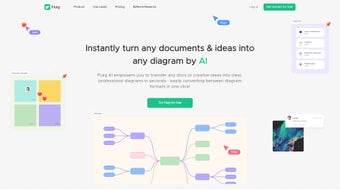
In today’s fast‑paced work environment, visual communication is no longer a luxury; it’s a necessity. Fluig answers that need with a web‑based, AI‑driven diagramming platform that turns raw text, PDFs, and scattered ideas into polished mind maps, flowcharts, tables, and more. Unlike traditional diagram tools that require manual dragging, positioning, and formatting, Fluig leverages natural‑language processing to interpret written content and instantly generate a diagram that reflects the underlying structure. This automatic conversion dramatically reduces the time spent on the “drawing” phase, allowing professionals to focus on analysis, decision‑making, and collaboration.
The platform’s flexibility shines through its one‑click conversion feature, which lets users switch between diagram types without rebuilding from scratch. Need a mind map for brainstorming now and a flowchart for process documentation later? A single click does the heavy lifting, preserving relationships and hierarchy while adapting the visual style. Moreover, Fluig’s PDF import capability means that lengthy reports, technical specifications, or research papers can be transformed into interactive diagrams, making complex information instantly digestible for stakeholders.
Collaboration is baked into Fluig’s DNA. Real‑time sharing, inline comments, and sticky notes create a shared workspace where team members can discuss, annotate, and iterate on diagrams together, no matter their location. The intuitive interface requires minimal technical expertise, opening the door for marketers, project managers, educators, and knowledge‑workers alike. Whether you’re mapping a product roadmap, visualizing a data‑driven workflow, or teaching a concept, Fluig provides a secure, cloud‑based environment that keeps your work synchronized and accessible from any modern browser. In addition, the platform continuously learns from user feedback, refining its AI models to produce more accurate layouts over time, which means the tool becomes smarter the more you use it.
Key Features that Power Your Visual Workflow
Fluig’s feature set is built around the principle of “create first, edit later.” By automating the heavy lifting of diagram generation, the tool lets you concentrate on refining ideas and driving collaboration. Below is a deeper look at the capabilities that make Fluig a competitive choice for teams that value speed, accuracy, and flexibility.
- AI‑Generated Diagrams: Paste or upload text, and Fluig instantly creates mind maps, flowcharts, or tables that reflect the logical structure of the content.
- One‑Click Type Conversion: Switch between diagram formats (mind map ↔ flowchart ↔ table) without losing data or relationships.
- PDF to Diagram Transformation: Import PDFs and watch them convert into editable visual representations.
- Real‑Time Collaboration: Multi‑user editing, live comments, and sticky notes enable seamless teamwork.
- Cloud‑Based Storage: All diagrams are saved securely in the cloud, accessible from any device with an internet connection.
- Version History & Undo: Track changes, revert to previous versions, and experiment without fear of losing work.
- Export Options: Download diagrams as PNG, SVG, PDF, or embed them directly into presentations and websites.
- Custom Styling & Templates: Apply brand colors, fonts, and pre‑built templates to maintain visual consistency.
- Integrations: Connect with popular tools such as Slack, Microsoft Teams, and Google Workspace for effortless sharing.
- Security & Permissions: Role‑based access control ensures that only authorized users can view or edit sensitive diagrams.
- API Access: Developers can programmatically create, modify, and retrieve diagrams via a RESTful API, extending Fluig’s capabilities into custom workflows.
- Multi‑Language Support: The AI engine understands and processes input in over 20 languages, making Fluig suitable for global teams.
Installation, Usage & Compatibility: Getting Started in Minutes
Fluig is a true SaaS solution, meaning there is no traditional “installation” process. To begin, visit the official Fluig website, click the Sign Up button, and create a free account using your email address or single‑sign‑on (SSO) credentials. After confirming your email, you’ll be taken to the dashboard where you can start a new project or import existing documents.
The user interface follows a familiar layout: a left‑hand panel for navigation, a central canvas for diagram creation, and a right‑hand sidebar for properties and AI options. To generate a diagram, simply paste your text into the “AI Prompt” field, select the desired diagram type, and press Generate. Fluig’s AI engine parses the input, identifies entities and relationships, and populates the canvas within seconds. You can then refine the layout manually, add comments, or invite teammates by sharing a secure link.
Compatibility (itemprop="operatingSystem"): Because Fluig runs entirely in the browser, it works on all modern operating systems—including Windows 10/11, macOS Monterey and later, Linux distributions, as well as mobile browsers on Android 9+ and iOS 13+. The platform is optimized for Chrome, Edge, Firefox, and Safari, ensuring a consistent experience across devices. For organizations with strict security policies, Fluig offers SSO integration with Azure AD, Okta, and Google Workspace, as well as GDPR‑compliant data handling and end‑to‑end encryption.
Once you’ve created a diagram, you can export it in your preferred format or embed it directly into collaborative tools. The export workflow is straightforward: click the Export button, choose PNG, SVG, or PDF, and the file will download instantly. For ongoing projects, the auto‑save feature records every change, and you can access the full revision history from the “Versions” tab. Advanced users can also enable two‑factor authentication (2FA) and IP‑whitelisting for an extra layer of protection. This seamless blend of AI automation, cloud storage, and cross‑platform compatibility makes Fluig a low‑friction solution for teams of any size.
Pros, Cons & Frequently Asked Questions
Below is a balanced look at what makes Fluig a strong contender in the diagramming space, as well as the areas where it could improve. Understanding both sides helps you decide whether the tool aligns with your workflow and organizational requirements.
Pros
- AI‑driven diagram generation saves hours of manual work.
- One‑click conversion between multiple diagram types provides unmatched flexibility.
- Real‑time collaboration features foster teamwork and rapid feedback.
- Web‑based access eliminates the need for costly installations or updates.
- Robust security controls and GDPR compliance protect sensitive data.
- Extensive export options make sharing with external stakeholders painless.
- API and integration ecosystem extend functionality into existing toolchains.
- Multi‑language support enables global teams to work in their native language.
Cons
- Reliance on an internet connection may be limiting in low‑bandwidth environments.
- Advanced styling options are still evolving compared to legacy desktop tools.
- Free tier has limited storage and a cap on the number of AI generations per month.
- Complex, highly customized diagrams may require some manual adjustments after AI generation.
- Feature parity on mobile browsers, while solid, can feel less responsive than the desktop experience.
FAQ (itemscope itemtype="https://schema.org/FAQPage")
Can I use Fluig on a mobile device?
Yes. Fluig’s responsive web interface works on Android and iOS browsers, allowing you to create, edit, and collaborate on diagrams from smartphones or tablets.
Is there a limit to how many diagrams I can generate for free?
The free plan includes up to 20 AI‑generated diagrams per month and 100 MB of cloud storage. Upgrading to a paid plan removes these limits and adds premium features.
How secure is my data on Fluig?
Fluig uses TLS 1.3 encryption for data in transit and AES‑256 encryption at rest. Role‑based access controls and optional SSO integration further protect your information.
Can I integrate Fluig with other productivity tools?
Yes. Fluig offers native integrations with Slack, Microsoft Teams, Google Workspace, and Zapier, allowing you to push diagrams to channels, attach them to docs, or trigger automated workflows.
What export formats are available?
Diagrams can be exported as PNG, SVG, PDF, or as an embeddable HTML snippet. You can also download the source JSON for further editing via Fluig’s API.
Conclusion: Is Fluig the Right Diagramming Tool for You?
Fluig delivers a compelling blend of AI automation, cross‑platform accessibility, and collaborative features that set it apart from conventional diagramming software. For teams that need to turn raw ideas, reports, or PDFs into clear visual assets quickly, Fluig’s one‑click generation and seamless type conversion are genuine time‑savers. While the reliance on an internet connection and the modest styling options in the free tier may be drawbacks for some power users, the platform’s security posture, integration ecosystem, and low learning curve make it an excellent choice for most modern workplaces.
If you’re looking for a secure, web‑based solution that can keep pace with fast‑moving projects and foster real‑time collaboration, download Fluig today and experience how AI can transform the way you visualize information. Start with the free plan, explore the AI features, and consider upgrading once you’ve seen the productivity boost firsthand. With its continuous learning engine and expanding feature set, Fluig is poised to grow alongside your organization’s evolving needs.
- Instant AI diagram generation
- One‑click conversion between diagram types
- Real‑time collaborative editing
- Secure cloud storage and GDPR compliance
- Requires constant internet access
- Limited styling options in the free tier



.png)



